Go to creditdefi.io website, select “Join” on the right side of the screen. The main page will display an information panel consisting of 3 items invest, deposit and withdraw.
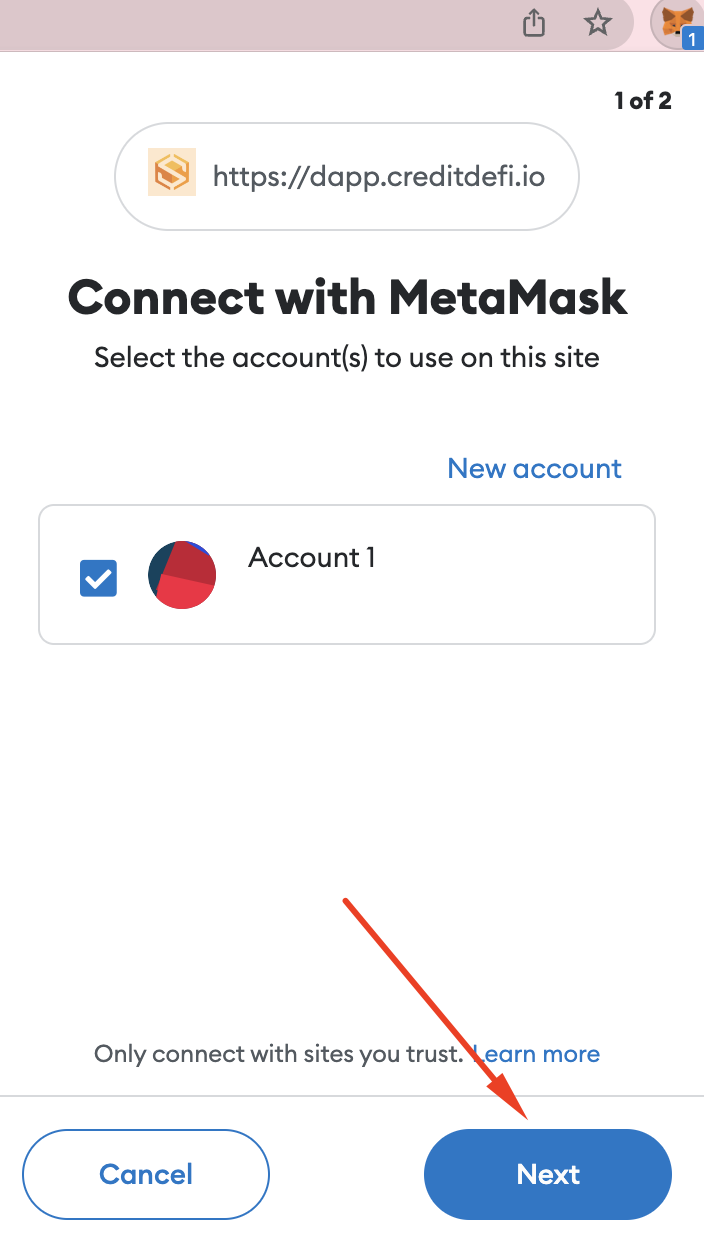
In the information panel below, drag and select add to wallet. Select “Connect” in the right corner of the screen to connect to the Metamask wallet.
Add Metamask Wallet to Chrome: Download Metamask
- Website: https://metamask.io/
- Chrome Add-ons: Metamask App-ons
- App on IOS: Metamask IOS
- Android App: Metamask Android
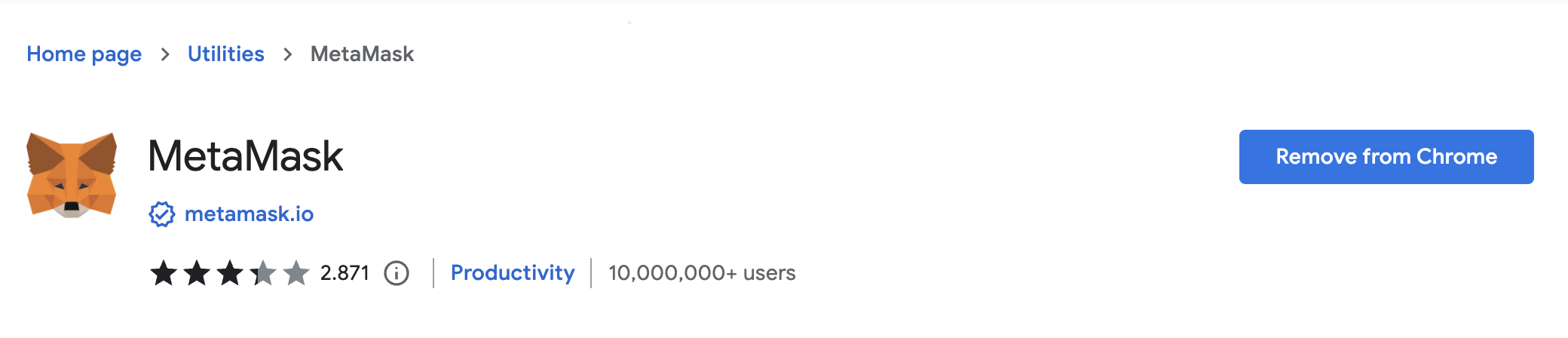
Go to the link: Metamask add on chrome. Select “Add to Chrome”.
Open Metamask wallet and Check “Get Started”.
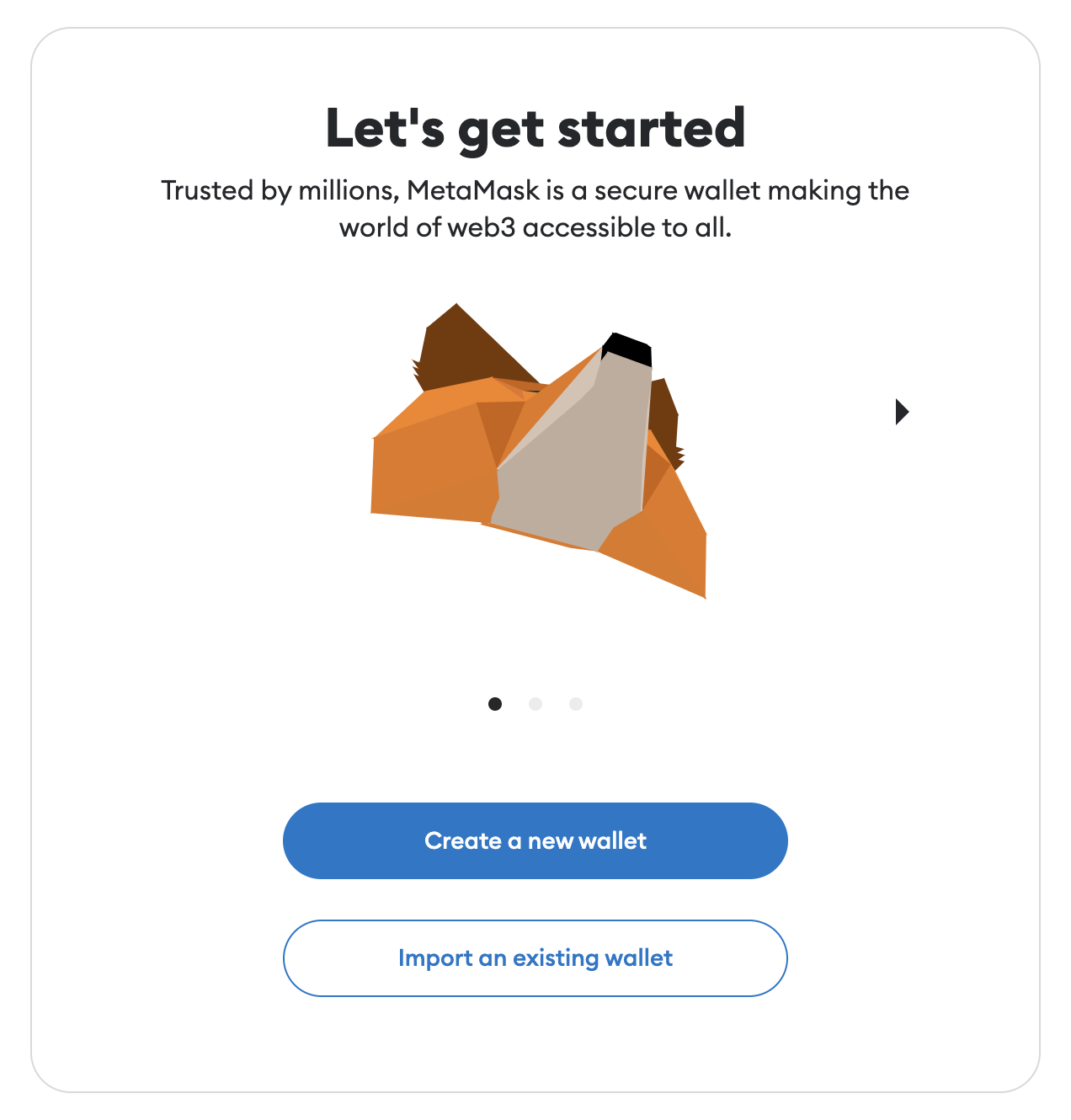
Create a wallet and generate a new password at Metamask. Note how to store passwords and secure wallets! Remember the secret recovery passphrase. Confirm the phrases on the metamask and confirm successful wallet creation.
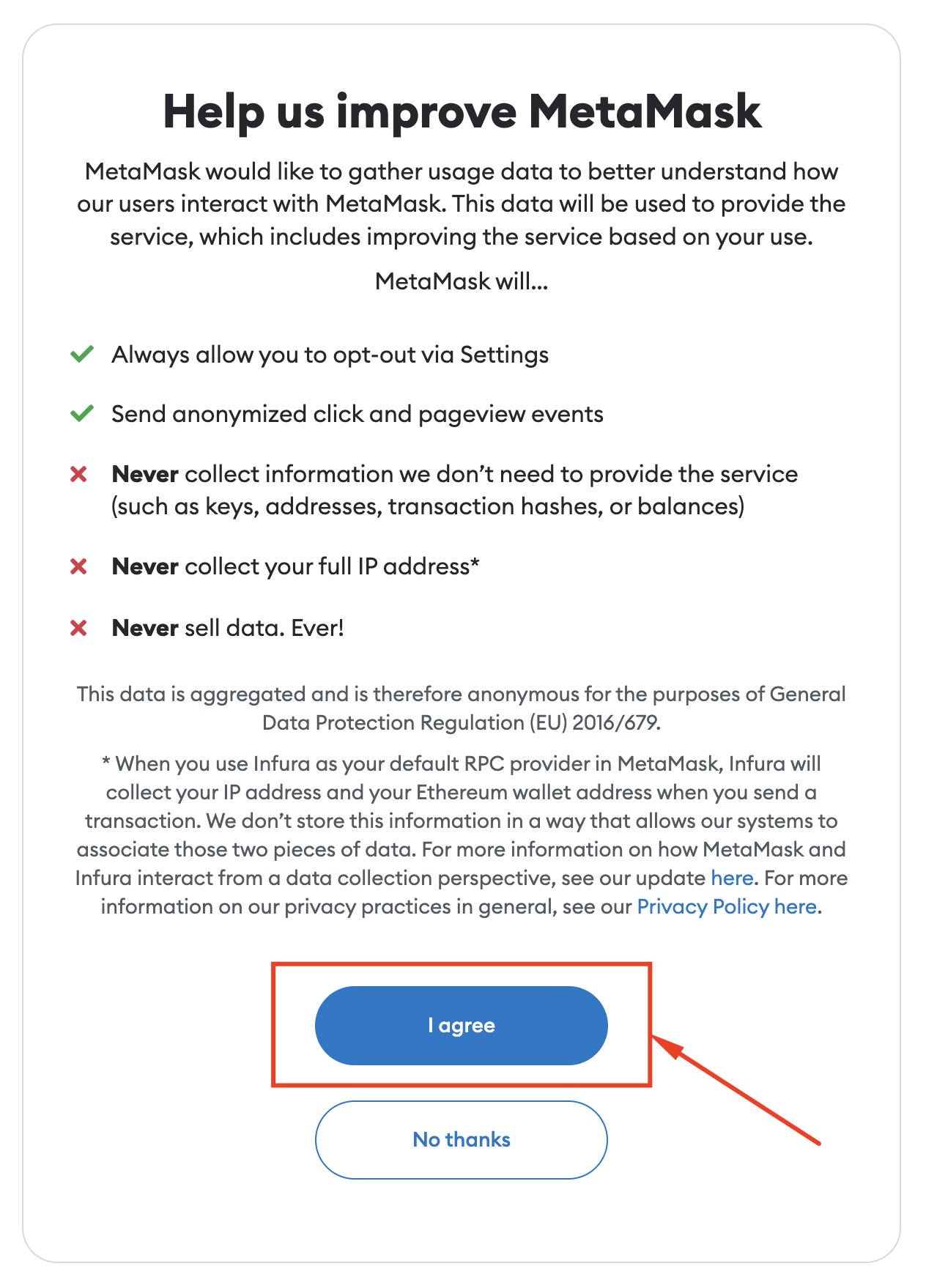
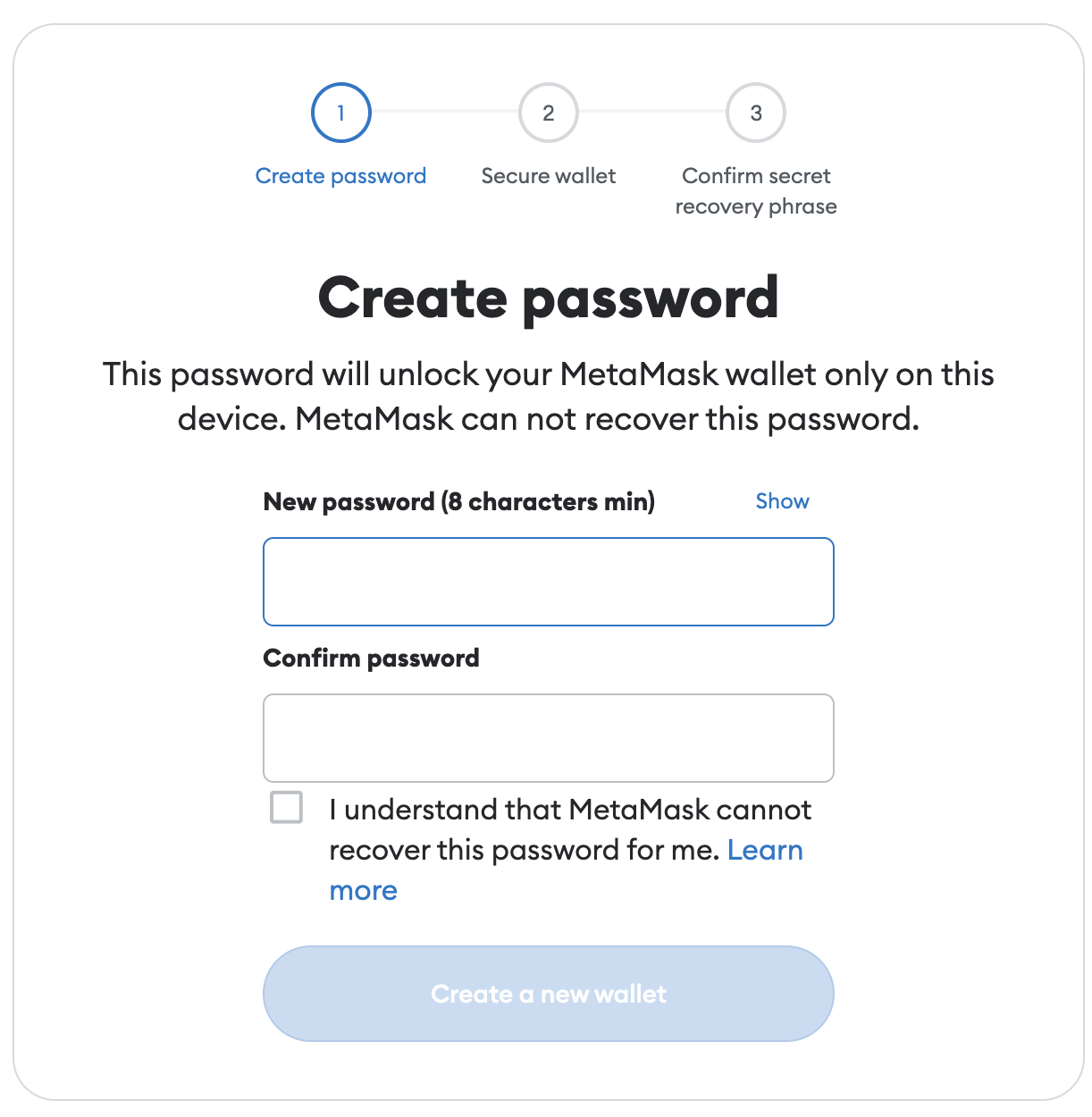
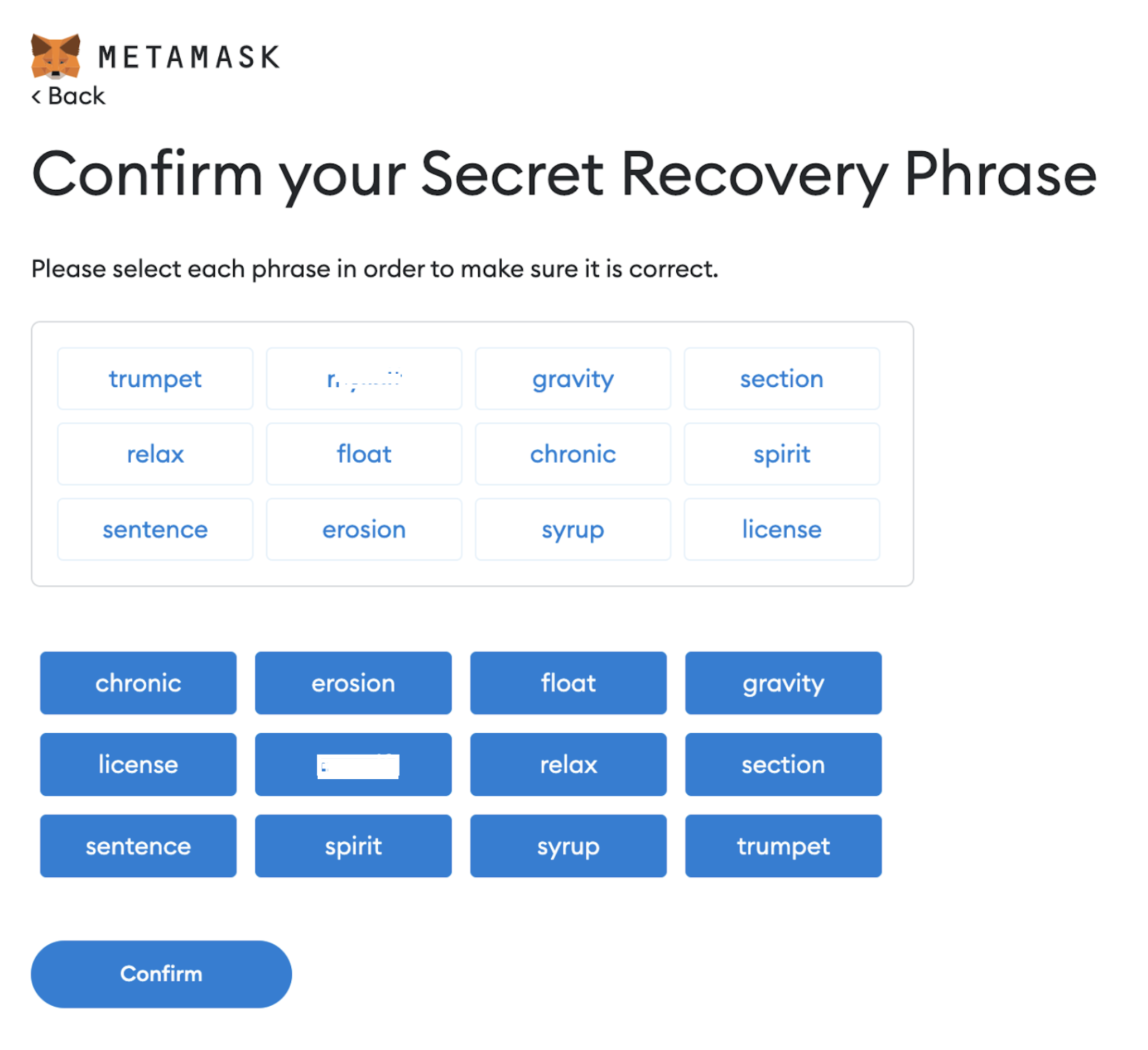
After creating a successful wallet, select the main network in the right corner of the screen, select add network.
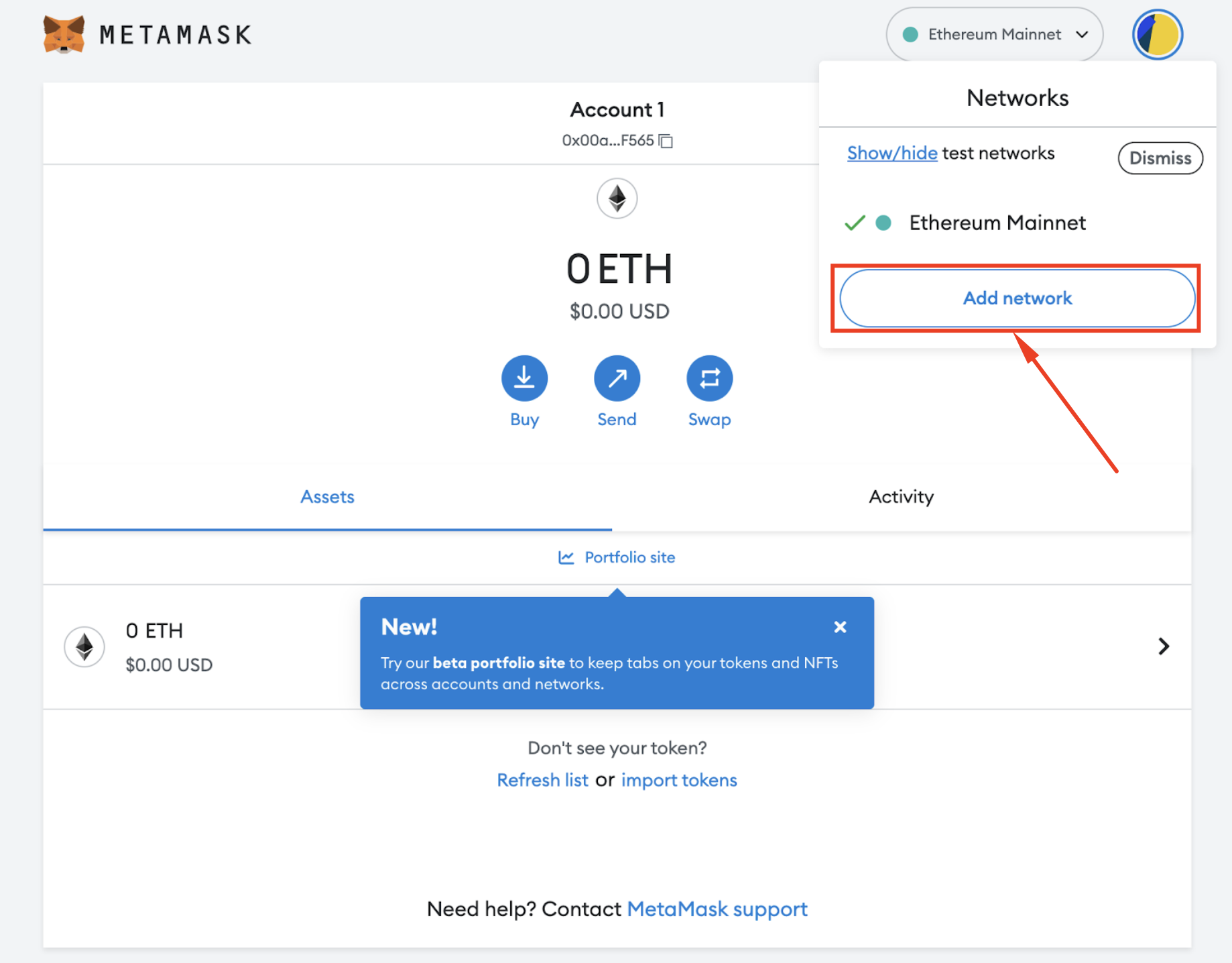
How to add a Binance smart chain network:
Scroll down, select add a network manually
- Enter network name/ Networkname: smart chain
- New RPC URL: https://bsc-dataseed.binance.org/
- Chain Code/Chain ID: 56
- Currency Symbol/ Symbol: BNB
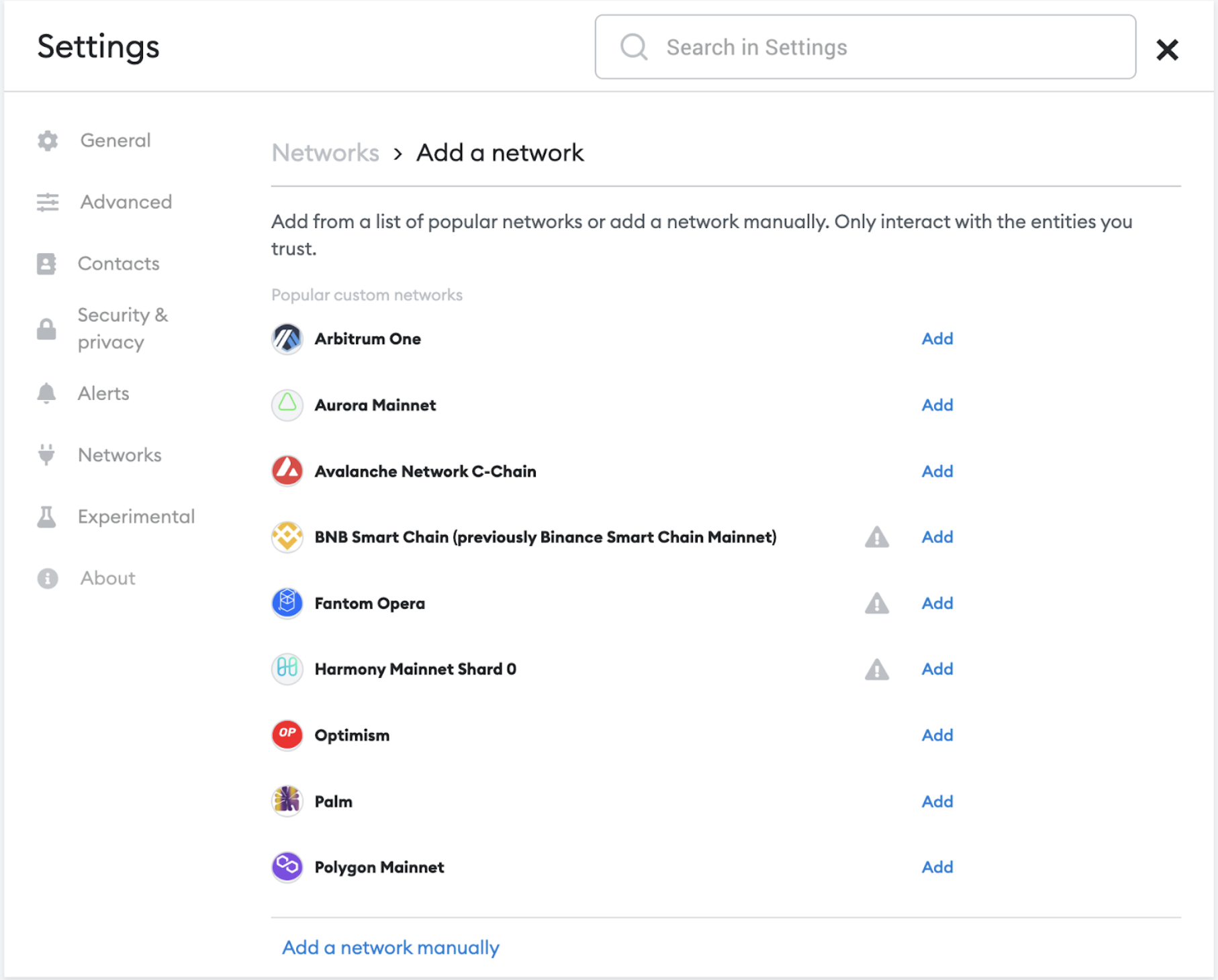
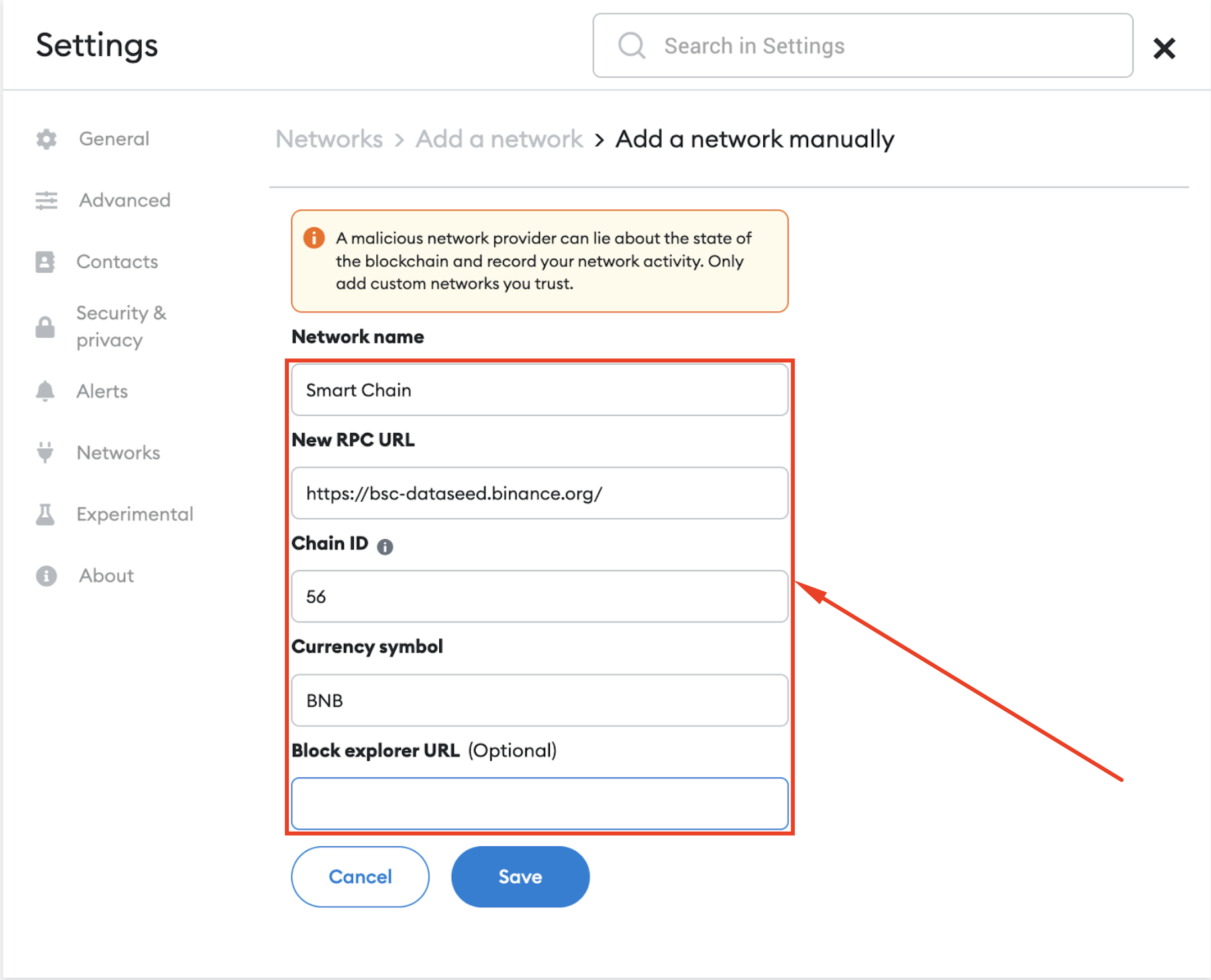
Click “Save” and you have successfully added a Binance smart chain network to your wallet.
Go back to D-App Credit Defi website, select confirm wallet and connect wallet. A successful connection will show a CDF balance of 0.
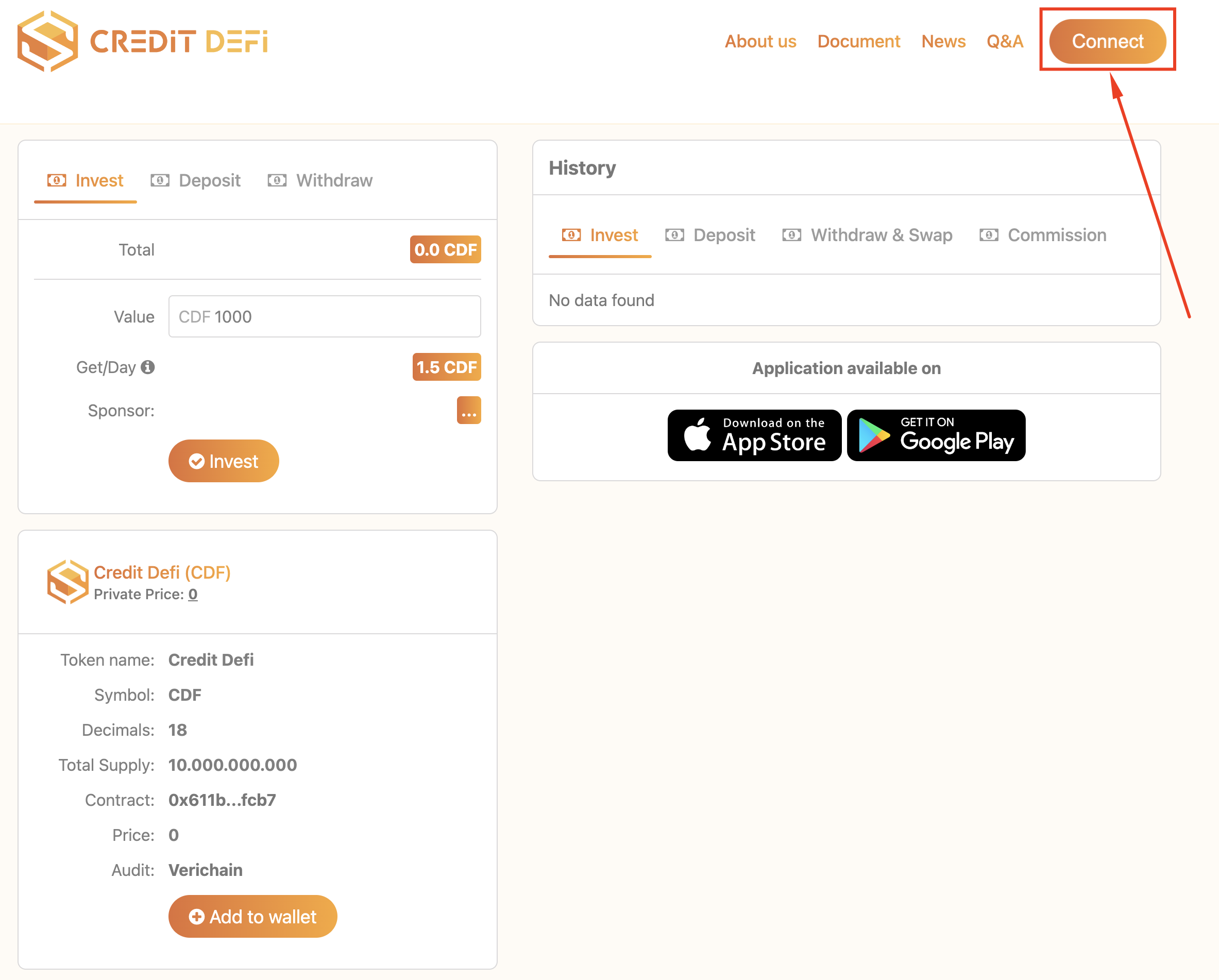
Select “Contract” in the “Add My Wallet” panel at the website.
+ Copy CDF wallet address.
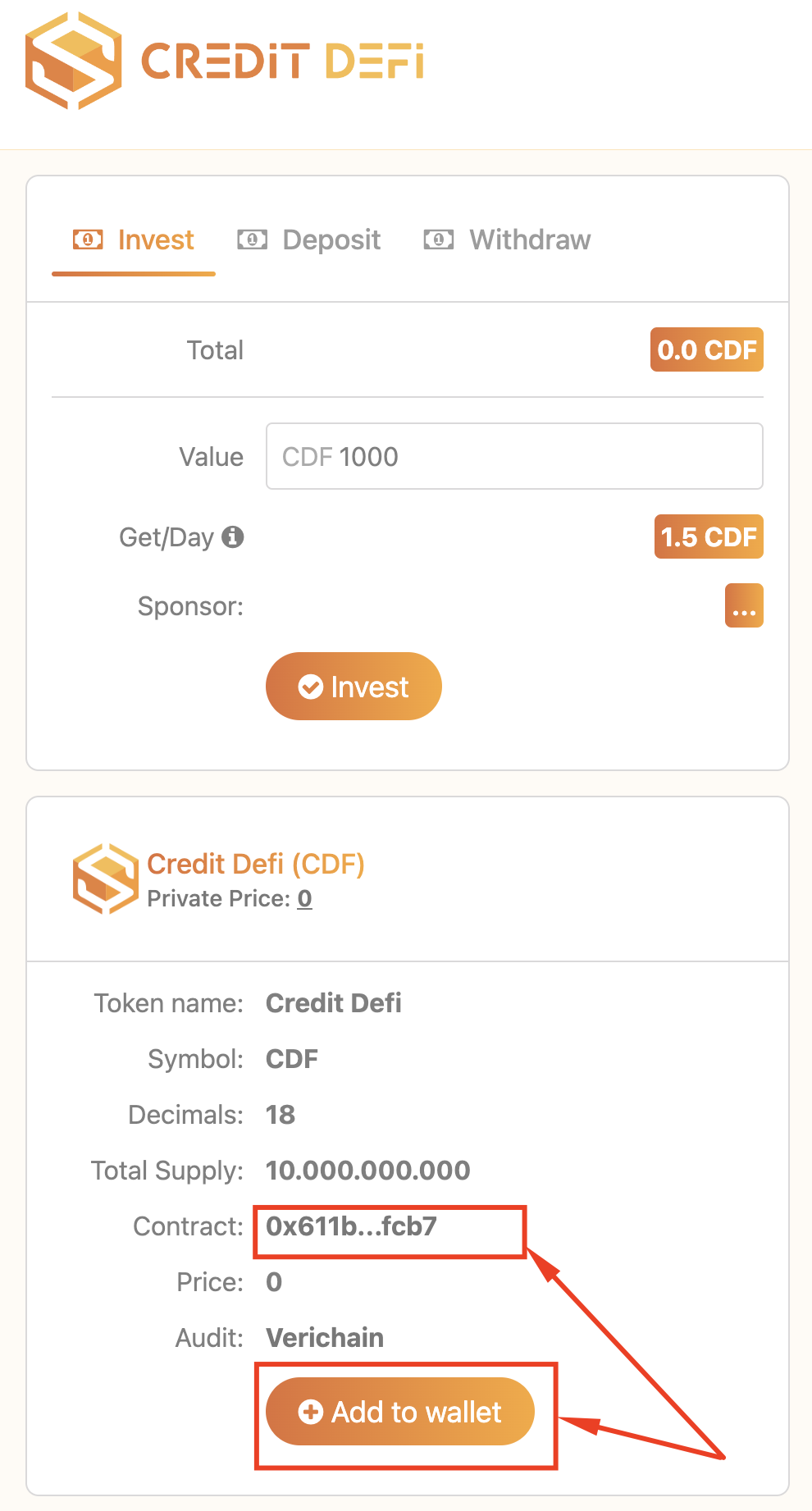
Return to the metamask wallet, check the box “Import token”.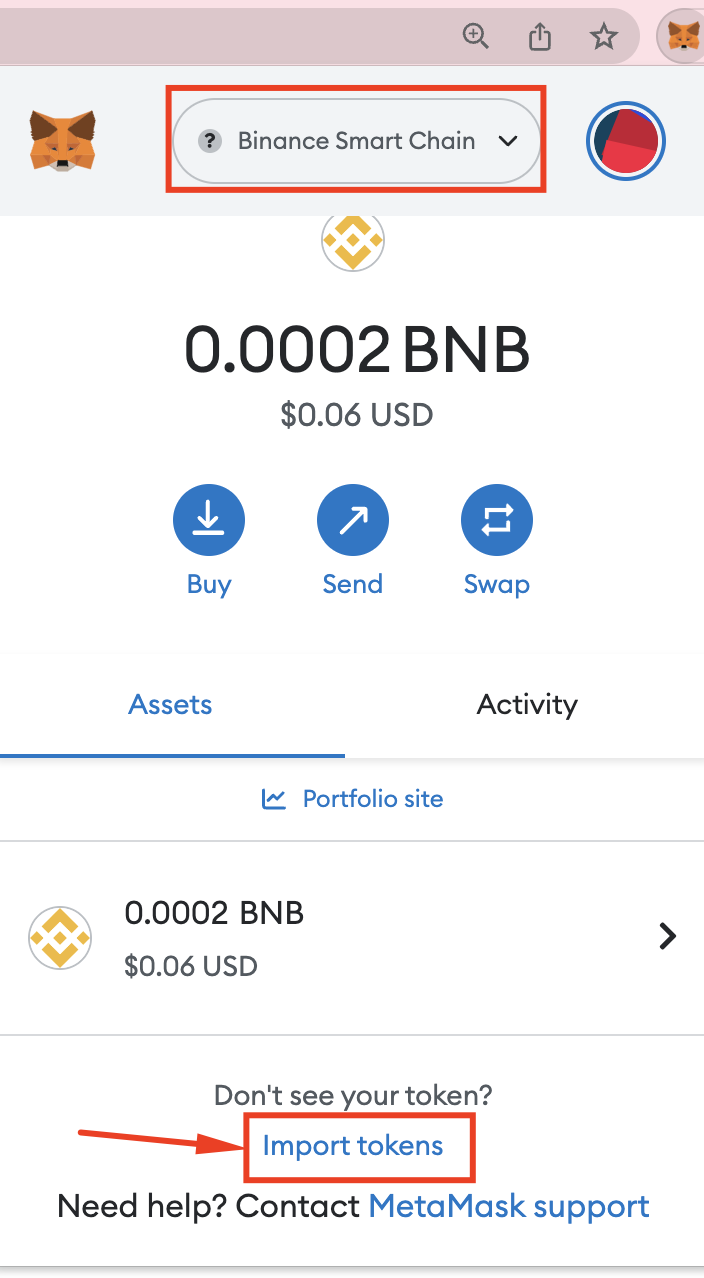
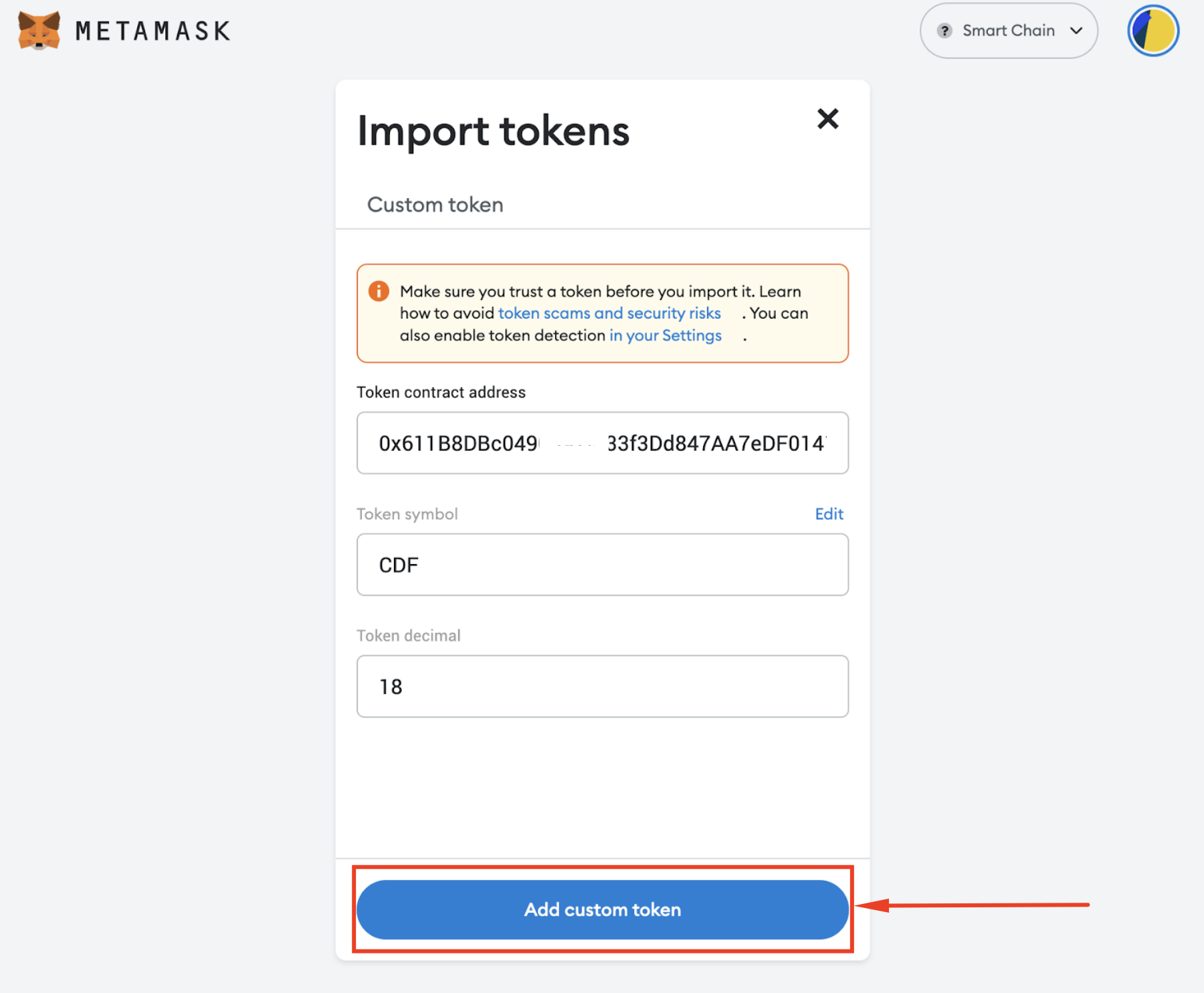
Paste the copied wallet address in the box “Token contract address”
- Token symbol CDF
- Token decimal: 18
Select add token “Add custom token”.
Invest, deposit and withdraw operations can be performed depending on individual needs at creditdefi.io.
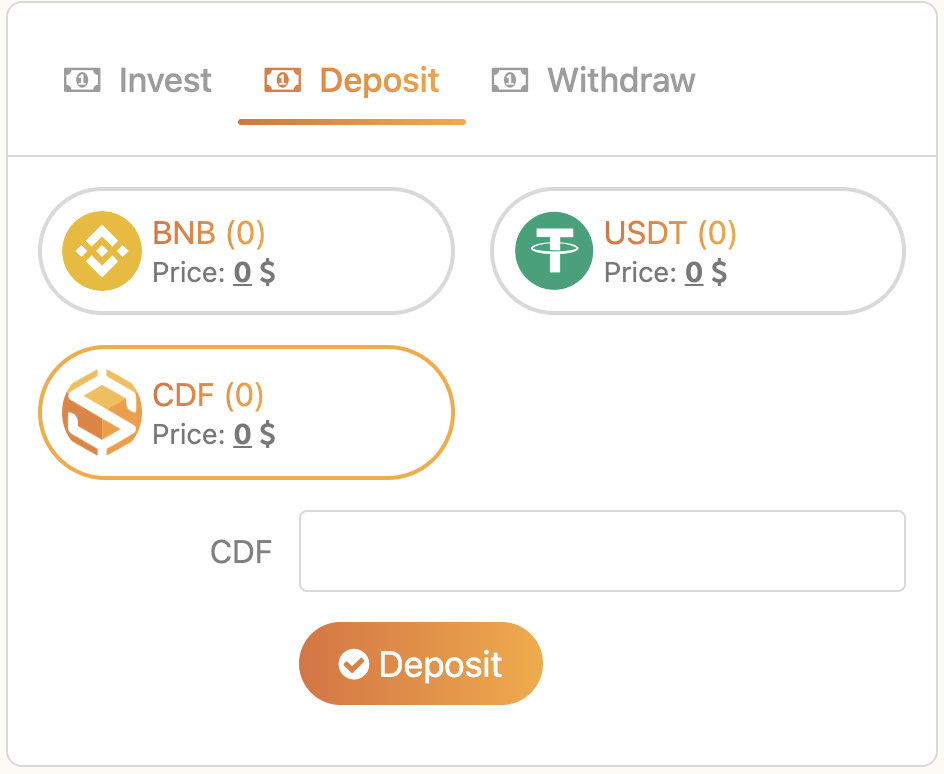
Invest with CDF today to grow with the Credit Defi ecosystem!